Creating Engaging Motion Graphics Previews

Updated April 2025
Boost Your Motion Graphics Downloads With Engaging Previews
A compelling preview clip is one of the most effective ways to attract users to your Motion Graphics packs. A well-crafted preview not only highlights the usability of your assets but also persuades potential users to envision them in their own work.
In this article, we’ll explore why investing time and effort into creating a high-quality preview is essential. We’ll also share key tips and examples to help you showcase your work effectively.
Key Elements of a Compelling Preview Clip
1. Showcase the Full Package at a Glance
Start by presenting the entire content of your pack in a single frame to give users an overview. Then, break it down by displaying each element individually, allowing users to see the details and quality of your assets. Make sure every included item is visible in the preview to set clear expectations.
2. Use High-Quality Example Footage
Enhance your preview by incorporating high-resolution example footage (sourced from free-to-use platforms - Upload Rules) to demonstrate how your assets look in real-life projects. This helps potential users visualize the usability and quality of your work.
3. Highlight Transparency, Background Options, and Looping
Showcase the type of transparency your asset uses to ensure clarity — whether it's an alpha channel, black/white background, or green/blue chroma key. Use contrasting backgrounds to demonstrate how your assets interact with different visuals for seamless integration. If your asset is loopable, mention this in the preview and demonstrate it in action. Clearly showcasing these features helps users see how the asset will function in their projects.
4. Keep It Concise and Engaging
Your preview should be short yet impactful, focusing on showcasing your content without overwhelming or losing the viewer’s attention. Aim for a dynamic and well-paced presentation that highlights the versatility of your assets in different contexts.
5. End with a Clear Call to Action
Encourage engagement by concluding your preview with a clear and inviting call to action such as: ‘Download Now!’, or ‘Enhance your video’. A subtle prompt can guide users toward downloading your asset or exploring more of your work.
Creating Authentic and Effective Previews
While it’s important to make your preview visually appealing, it should also accurately and realistically represent your pack. Avoid adding animations, effects, or extra elements that aren’t part of the actual product—this is especially crucial for Templates artists converting their content and previews into Motion Graphics packs. Overselling can lead to unrealistic expectations and user dissatisfaction.
By combining creativity with strategic showcasing—focusing on clarity, usability, smooth animations, and a compelling call to action—you can create a preview that not only boosts downloads but also builds trust and recognition between artists and users.





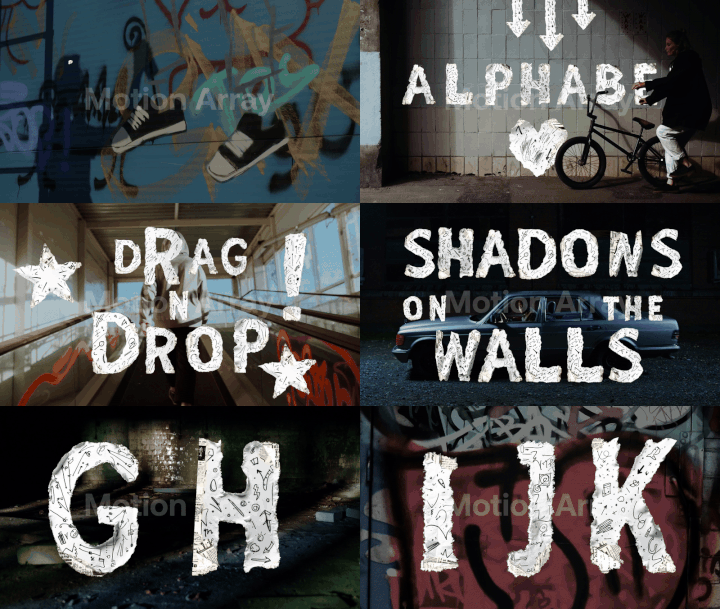
For more examples, click here
**To make the process easier, we've created a customizable preview template designed specifically to showcase Motion Graphics packs. The template streamlines the workflow by providing pre-set layouts and text placeholders, allowing you to create polished, engaging previews quickly and consistently. Download the template here.